




UBIQUITI Intercom Viewer, 3-pack
UBIQUITI Intercom Viewer, 3-pack
Guarantee
12 month
Delivery from Lithuania in
2 - 4
business days
Remote Access Control
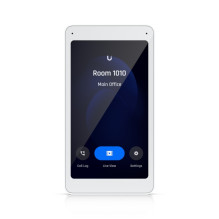
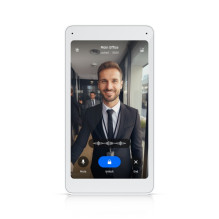
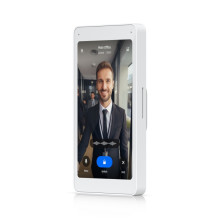
The Ubiquiti Intercom Viewer is a valuable companion to the Ubiquiti Access Intercom, empowering you with remote access control and visitor screening capabilities. Utilize the two-way audio feature to converse with visitors before granting access, ensuring clear communication and enhanced security. Gain instant live video access through the 5" touch display, allowing you to keep an eye on your entry points from anywhere. Connect and power the UA-Intercom-Viewer using a PoE switch, eliminating the need for separate power adapters and simplifying installation.
Centralized Management
The UA-Intercom-Viewer seamlessly integrates with the Ubiquiti Access Intercom and UniFi Network ecosystem. You can easily configure and manage multiple UA-Intercom-Viewer units from a single platform, optimizing your security setup for larger buildings. Manage the Intercom Viewer and other UniFi devices through the intuitive UniFi Network software, offering a centralized platform for configuration, monitoring, and maintenance. Track entry logs and monitor past visitor activity for improved security and accountability.
Versatile Placement
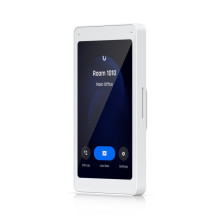
The UA-Intercom-Viewer's compact design and wall-mountable form factor make it ideal for placement in various locations throughout your building. This allows building managers, security personnel, or even residents (in residential settings) to monitor entry points and manage access control from convenient locations. By combining the Ubiquiti Intercom with the UA-Intercom-Viewer, you gain a comprehensive solution for secure and efficient visitor management, remote access control, and enhanced security for your residential or commercial building.
Dimensions: 135 x 185 x 32 mm (5.3 x 7.3 x 1.3")
Mobile Unlock: Yes
NDAA Compliant: Yes
UL 294 Level:
Destructive attack: Level I
Line security: Level I
Endurance: Level I
Standby power: Level I
Mechanical
Weight: 168 g (5.9 oz)
Enclosure Material: Glass, polycarbonate
Mount Material: Aluminum alloy
Mounting:
Wall (Included)
Gang box mount (Optional)
Hardware
Indoor and Outdoor Use: Indoor only
Ambient Operating Temperature: 0 to 40° C (32 to 104° F)
Ambient Operating Humidity: 5 to 95% non-condensing
Networking Interface: (1) 10/100 Mbps RJ45 port
Connectivity: Ethernet
Power Method:
PoE
UL 294 Power-limited Class 2 PSU
UL 60950-1/62368-1 LPS/PS2 PSU
Max. Power Consumption: 5W
Supported Voltage Range: 44—57V DC
Display: 127 mm (5") diagonal
Touch Screen Technology: Capacitive multi-touch
Display Luminance: 300 nits (Typical)
Screen Orientation: Portrait
Resolution: 1280 x 720 px
Microphone: Yes
Speaker: Yes
Buttons: (1) Factory reset
PoE Cabling Requirements: Cat 5e cabling is the minimum performance category recommended. The performance category used should match the transmission speed required at the installation site. The minimum conductor gauge allowed to connect between the PSE or power injector and the PD shall be 26 AWG (0.13 mm²) for patch cords; 24 AWG (0.21 mm²) for horizontal or riser cable
UL 294 Statement: Compliance with IEEE 802.3 specifications was not verified as part of UL 294. The equipment is intended to comply with the section of the National Electrical Code, ANSI/NFPA 70, Article 725.121, Power Sources for Class 2 and Class 3 Circuits.
CAN/ULC-60839-11-1 Grade: Grade assignment: I
Certifications: CE, FCC, IC, UL 294, CAN/ULC-60839-11-1
Document number, and issue date and/or revision level: UA-Intercom-Viewer, V01
Software
Management Application: Access
Software Information: The software version can be checked at https://unifi.ui.com