
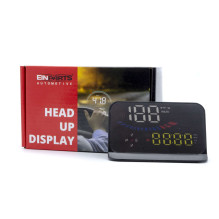
Head Up Display EPHUD01
Product reference: 13-5902537826298

Head Up Display EPHUD01

Head Up Display EPHUD01

Product reference: 13-5902537826298

Head Up Display EPHUD01

You have 3 products in compare list, please remove someone and try again
  • Add to favorites products
  • Added to favorites products
  • Removed to favorites product
Add to compare
6517
Product in warehouse

Guarantee
12 month

Delivery from Europe in
4 - 14
business days

Your message has been successfully sent!
Fill in the required fields*
Head Up Display HUD

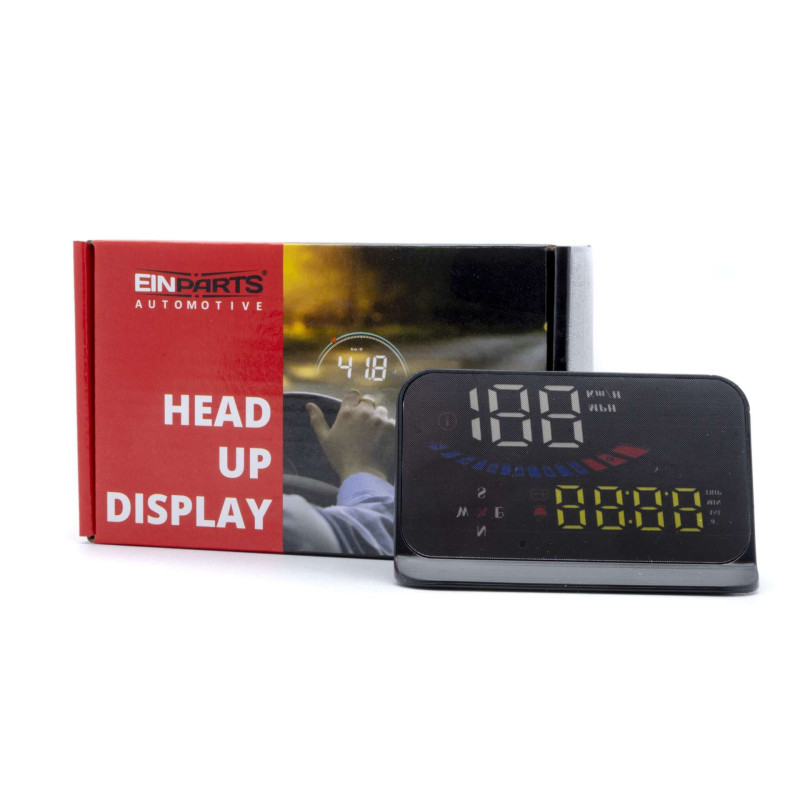
The main function is to display information on the car's windshield (e.g. speed, RPM, water temperature, voltage, trip distance, etc.) and to keep the driver's eyes on the road at all times to avoid the danger of lowering the head towards the odometer. Information on the display:

  • Driving speed,
  • clock,
  • satellite numbers,
  • height,
  • tension,
  • switching between kilometers and miles,
  • driving time,
  • direction of travel,
  • automatic and manual brightness adjustment
Alarms:

- overspeed alarm, voltage alarm; Function: - original with hood, not blinding during the day!

Screen size:

3.5 inches / 90x54x12mm

Functions
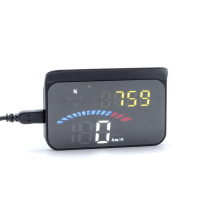
  1. 1. Satellite icon: flashing means searching for GPS signal, GPS LED stops flashing and stays on when GPS signal is found.
  1. 2. Driving direction: when exceeding the vehicle speed > 5 km/h, displaying the driving direction, W = West, N = North, S = South, E = East
  1. 3. The overspeed alarm icon flashes when the vehicle speed exceeds the set value.
  1. 4. Voltage icon and recommended break icon
  1. 5. Light sensor: HUD can automatically adjust the brightness according to the surroundings
  1. 6. Multi-function display area
  1. 7. a + = acceleration to 100 km, ASL = altitude, MIN = travel time, TRIP = distance traveled
  1. 8. Displays the acceleration progress bar
  1. 9. Vehicle speed
  1. 10. Speed ​​unit: MPH = mile/hour, KM/H = kilometer/hour
Button functions

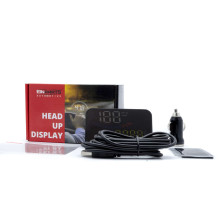
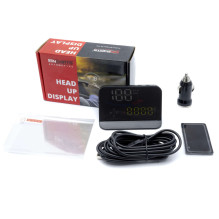
1. M Button: Short press M(1) To toggle voltage, coolant temperature, vehicle speed(2) Toggle menu options or parameter values ​​in setting mode. Long press M(1) To enter settings (instructions for Menu 1-8)(2) To save and exit after programming is complete. 2. - Button: Short press -(1) to toggle speed icon(2) to go back to the menu or previous value. Long press -to turn off the buzzer. Press and hold again for 5 seconds to turn on the buzzer. 3. + Button: Short press +, Menu + or increase value +Long press + to turn on maximum backlight, long press again to turn off maximum backlight. 4. On/Off: Long press to turn off, long press to turn on again. 5. Power Port 1: Freely select between port 1 or 2. 6. Power Port 2: Freely select between port 1 or 2. included in the set: DisplayChargerAnti-slip matAnti-reflective foil

Offensive and promotional comments are unpublished.
Testimonials not found!
Testimonial