



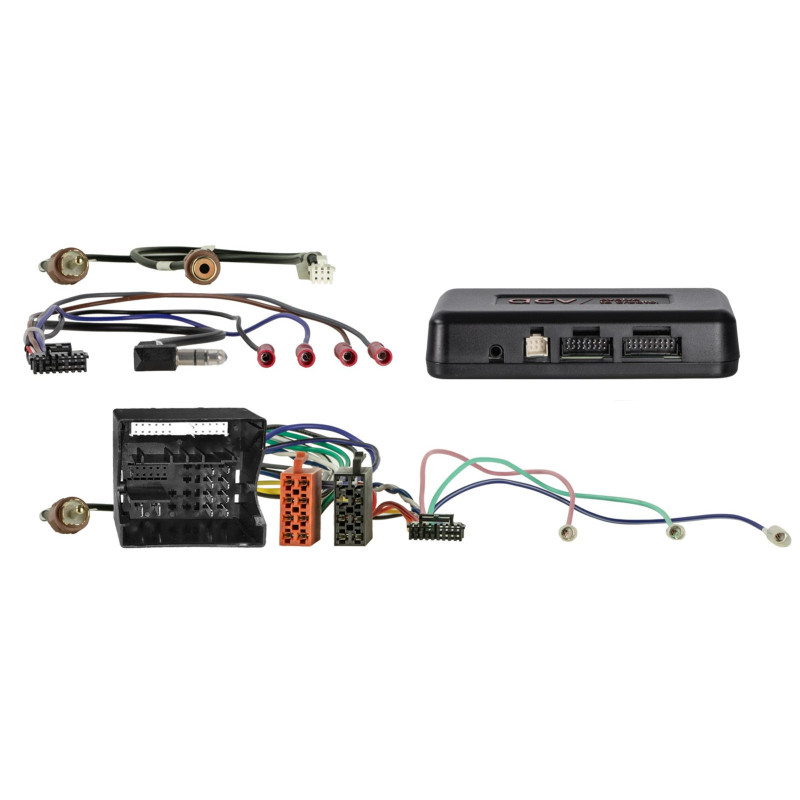

i-dapter MAN TGE/Seat/Skoda/VW models 52Pin Quadlock Multilead
i-dapter MAN TGE/Seat/Skoda/VW models 52Pin Quadlock Multilead
Guarantee
12 month
Delivery from Europe in
4 - 14
business days
Infoadapter Skoda / VW
The Infodapter allows you to retain some of the functionality of your vehicle's factory display when replacing the factory radio or navigation system with an aftermarket head unit.
Features and capabilities
Display vehicle-specific settings on the aftermarket head unit.
SWC button support is required to configure the Infodapter.
Depending on the vehicle equipment and HU software, some functions may be omitted or replaced.
Not all driver assistance functions, such as Trailer Assist, E-Call, PDC or other comfort systems, are supported.
Pre-installation requirements
Check the compatibility of the OEM HU unit with the visual and technical fit of the connectors.
Verify operation of all vehicle settings and functions before final installation.
If you have any problems, please contact our support team:
Phone: 02431-9645-96
Email: support@acvgmbh.de
Connectors and signals
Main connector:52-pin Quadlock VAG
SWC:OEM > 3.5mm Jack / loose
Reversing camera:RCA(m) ochre
Vehicles with MIB-PQ OEM system:activates and configures the rear view camera input
Reversing camera inputs in retrofit HU:
Purple/White: +12V Reverse Signal
RCA(m) ochre: rear view camera input
Vehicles with SWC:
Press and hold the SWC "track up" button or select item: 43x-remote
Vehicles without SWC:
i-adapter accessories remote control > interface settings: item 43x-remote
Special Notes
If you have problems with the camera image or i-dapter visualization, please connect an additional GND signal to the external RCA cable of the camera and the HU connection.
On vehicles with front PDC, the display is activated when the ignition is switched on and the +12V reverse gear signal is switched off above 3 km/h.
Not all vehicle settings, features or information are fully supported.
Installation - step by step
Check all vehicle functions and settings in the original HU.
Disconnect the HU from the power supply.
Check all unpowered interface connections for correctness.
Connect the radio connection cable according to the HU instructions.
Connect the remaining wires according to the HU instructions.
Connect the entire system to the vehicle, with the main connection connected last.