eSIMConsumer type eSIM, profile download and removal operations, up to 7 eSIM profiles; does not include data plans
SIM switchAllows dual-modem functionality with independent SIM switching for each modem. The SIM switch automatically transitions between the physical SIM and eSIM based on conditions such as weak signal, data limits, roaming, and network issues. Both physical SIMs can operate simultaneously, with switching restricted to each modem's SIM and eSIM ( For full failover functionality from 5G to 2G, two SIM cards are required. )
StatusIMSI, ICCID, operator, operator state, data connection state, network type, CA indicator, bandwidth, connected band, signal strength (RSSI), SINR, RSRP, RSRQ, EC/IO, RSCP, data sent/received, LAC, TAC, cell ID, ARFCN, UARFCN, EARFCN, MCC, and MNC
SMSSMS status, SMS configuration, send/read SMS via HTTP POST/GET, EMAIL to SMS, SMS to EMAIL, SMS to HTTP, SMS to SMS, scheduled SMS, SMS autoreply, SMPP
USSDSupports sending and reading Unstructured Supplementary Service Data messages
Block/Allow listOperator block/allow list (by country or separate operators)
Multiple PDNPossibility to use different PDNs for multiple network access and services
Group managementBand lock, Used band status display
SIM inactivity protection serviceProvides the possibility to configure the router to periodically switch to the unused SIM card and establish a data connection in order to prevent the SIM card from being blocked
SIM PIN code managementSIM PIN code management enables setting, changing, or disabling the SIM card's PIN
APNAuto APN
BridgeDirect connection (bridge) between mobile ISP and device on LAN
TransferRouter assigns its mobile WAN IP address to another device on LAN
Framed routingFramed routing: support an IP network behind 5G UE
Wireless connection
Wireless mode802.11b/g/n/ac Wave 2 (Wi-Fi 5) with data transmission rates up to 867 Mbps (Dual Band, MU-MIMO), 802.11r fast transition, Access Point (AP), Station (STA)
Firewall status pageView all your Firewall statistics, rules, and rule counters
Port managementView device ports, enable and disable each of them, turn auto-configuration on or off, change their transmission speed, and so on
Network topologyVisual representation of your network, showing which devices are connected to which other devices
Public Internet access pointCaptive portal (hotspot), internal/external Radius server, Radius MAC authentication, SMS authorization, SSO authentication, internal/external landing page, walled garden, user scripts, URL parameters, user groups, individual user or group limitations, user management, 9 default customizable themes and optionality to upload and download customized hotspot themes
DHCPStatic and dynamic IP allocation, DHCP relay, DHCP server configuration, status, static leases: MAC with wildcards
QoS/Smart Queue Management (SQM)Traffic priority queuing by source/destination, service, protocol or port, WMM, 802.11e
DDNSSupported > 25 service providers, others can be configured manually
DNS over HTTPSDNS over HTTPS proxy enables secure DNS resolution by routing DNS queries over HTTPS
Network backupsWi-Fi WAN, Mobile, VRRP, Wired options, each of which can be used as an automatic failover
Load balancingBalance Internet traffic over multiple WAN connections
SSHFSPossibility to mount remote file system via SSH protocol
VRF supportInitial virtual routing and forwarding (VRF) support
Traffic managementReal-time monitoring, wireless signal charts, traffic usage history
Port mirroringMirroring network traffic on Ethernet ports for monitoring and analysis
Security
802.1xPort-based network access control client
AuthenticationPre-shared key, digital certificates, X.509 certificates, TACACS+, Internal External RADIUS users authentication, IP login attempts block, time-based login blocking, built-in random password generator
FirewallPreconfigured firewall rules can be enabled via WebUI, unlimited firewall configuration via CLI, DMZ, NAT, NAT-T, NAT64
PPTP, L2TPClient/Server instances can run simultaneously, L2TPv3, L2TP over IPsec support
StunnelProxy designed to add TLS encryption functionality to existing clients and servers without any changes in the program's code
DMVPNMethod of building scalable IPsec VPNs, Phase 2 and Phase 3 and Dual Hub support
SSTPSSTP client instance support
ZeroTierZeroTier VPN client support
WireGuardWireGuard VPN client and server support
TincTinc offers encryption, authentication and compression in its tunnels. Client and server support.
TailscaleTailscale offers speed, stability, and simplicity over traditional VPNs. Encrypted point-to-point connections using the open source WireGuard protocol
OPC UA
Supported modesClient, Server
Supported connection typesTCP
MODBUS
Supported modesServer, Client
Supported connection typesTCP
Custom registersMODBUS TCP custom register block requests, which read/write to a file inside the router, and can be used to extend MODBUS TCP Client functionality
Date to serverExtract parameters from multiple sources and different protocols, and send them all to a single server; Custom LUA scripting, allowing scripts to utilize the router's Data to server feature
MQTT Gateway
Modbus MQTT GatewayAllows sending commands and receiving data from MODBUS Server through MQTT broker
DNP3
Supported modesDNP3 Station, DNP3 Outstation
Supported connectionTCP
DLMS
DLMS SupportDLMS - standard protocol for utility meter data exchange
Supported modesClient
Supported connection typesTCP
COSEMAllows to scan meter COSEM objects for automatic detection and configuration
API
Teltonika Networks Web API (beta) supportExpand your device's possibilities by using a set of configurable API endpoints to retrieve or change data. For more information, please refer to this documentation: https://developers.teltonika-networks.com
Monitoring Management
WEB UIHTTP/HTTPS, status, configuration, FW update, CLI, troubleshoot, multiple event log servers, firmware update availability notifications, event log, system log, kernel log, Internet status
PHOTOFirmware update from server, automatic notification
SSHSSH (v1, v2)
SMSSMS status, SMS configuration, send/read SMS via HTTP POST/GET
CallReboot, Status, Mobile data on/off, Output on/off, answer/hang-up with a timer, Wi-Fi on/off
EmailReceive email message status alerts of various services
SNMPSNMP (v1, v2, v3), SNMP Trap, Brute force protection
JSON-RPCManagement API over HTTP/HTTPS
MODBUSMODBUS TCP status/control
RMSTeltonika Remote Management System (RMS)
IoT platforms
ThingWorxAllows monitoring of: WAN Type, WAN IP, Mobile Operator Name, Mobile Signal Strength, Mobile Network Type
Cumulocity - Cloud of ThingsAllows monitoring of: Device Model, Revision and Serial Number, WAN Type and IP, Mobile Cell ID, ICCID, IMEI, Connection Type, Operator, Signal Strength. Has reboot and firmware upgrade actions
Azure IoT HubCan be configured with Data to Server to send all the available parameters to the cloud. Has Direct method support which allows to execute RutOS API calls on the IoT Hub. Also has Plug and Play integration with Device Provisioning Service that allows zero-touch device provisioning to IoT Hubs
AWS IoT CoreUtility to interact with the AWS cloud platform. Jobs Support: Call the device's API using AWS Jobs functionality
System Characteristics
ProcessorMediaTek, Dual-Core, 880 MHz, MIPS1004Kc
RAM256 MB, DDR3
FLASH storage16 MB serial NOR flash, 256 MB serial NAND flash
Settings
WEB UIUpdate FW from file, check FW on server, configuration profiles, configuration backup
PHOTOUpdate FW
RMSUpdate FW/configuration for multiple devices at once
Remembering settingsUpdate FW without losing current configuration
Factory resetA full factory reset restores all system settings, including the IP address, PIN, and user data to the default manufacturer's configuration
Manufacturer
Teltonika Networks
Manufacturer code
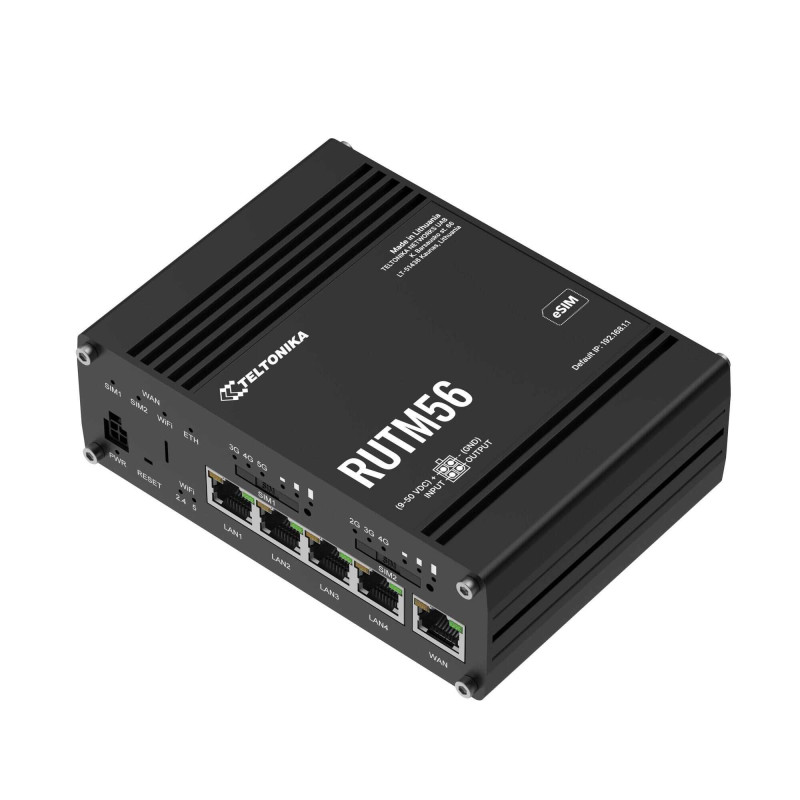
RUTM56
Weight
0.515 kg
Offensive and promotional comments are unpublished.