




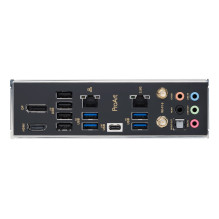
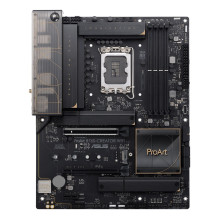
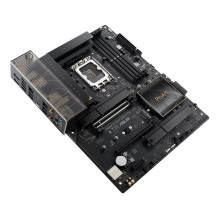
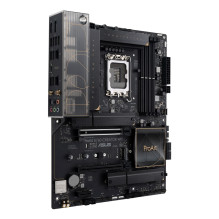
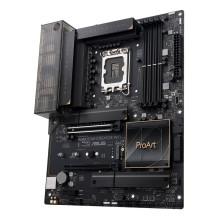


ASUS 90MB1FY0-M0EAY0 motherboard Intel B760 LGA 1700 ATX
ASUS 90MB1FY0-M0EAY0 motherboard Intel B760 LGA 1700 ATX
Guarantee
36 month
Delivery from Europe in
6 - 11
business days
| Maximum number of SMP processors | 1 |
| Supported processor sockets | LGA 1700 |
| Compatible processor series | Intel® Core™ i7, Intel® Core™ i9, Intel® Core™ i5, Intel® Core™ i3 |
| Processor manufacturer | Intel |
| Processor socket | LGA 1700 |
| Motherboard chipset | Intel B760 |
| Audio output channels | 7.1 channels |
| Motherboard form factor | ATX |
| Cooling type | liquid |
| Motherboard chipset family | Intel |
| Maximum internal memory | 192 GB |
| Memory channels | Dual-channel |
| Memory slots type | DIMM |
| Supported memory types | DDR5-SDRAM |
| Number of memory slots | 4 |
| Ethernet LAN | Yes |
| Wi-Fi standards | Wi-Fi 4 (802.11n), Wi-Fi 5 (802.11ac), 802.11g, 802.11b, 802.11a, Wi-Fi 6 (802.11ax) |
| Wi-Fi | Yes |
| Top Wi-Fi standard | Wi-Fi 6 (802.11ax) |
| Ethernet interface type | Gigabit Ethernet, 2.5 Gigabit Ethernet |
| WLAN controller model | Intel Wi-Fi 6 AX201 |
| USB 2.0 connectors | 2 |
| Power fan connector | Yes |
| ATX Power connector (24-pin) | Yes |
| USB 3.2 Gen 2 (3.1 Gen 2) connectors | 1 |
| USB 3.2 Gen 1 (3.1 Gen 1) connectors | 4 |
| Audio connector | Yes |
| Supported storage drive types | SSD |
| Supported storage drive interfaces | M.2, PCI Express 3.0, PCI Express 4.0 |
| S/PDIF out port | Yes |
| DisplayPorts quantity | 1 |
| USB 3.2 Gen 1 (3.1 Gen 1) Type-A ports quantity | 4 |
| USB 3.2 Gen 2 (3.1 Gen 2) Type-C ports quantity | 1 |
| HDMI ports quantity | 1 |
| USB connector type | USB Type-C, USB Type-A |
| Ethernet LAN (RJ-45) ports | 2 |
| USB 2.0 ports quantity | 6 |
| Headphone outputs | 5 |
| USB 3.2 Gen 2x2 Type-C ports quantity | 1 |
| Number of M.2 (M) slots | 3 |
| PCI Express x16 (Gen 3.x) slots | 1 |
| PCI Express x16 (Gen 4.x) slots | 1 |
| PCI Express x16 (Gen 5.x) slots | 1 |
| Warnings | Before starting any maintenance or installation, disconnect the product from the power supply., Avoid direct contact with electronics to prevent electrostatic damage., Do not dispose of the motherboard in the ordinary rubbish bin; the product requires special disposal. |