

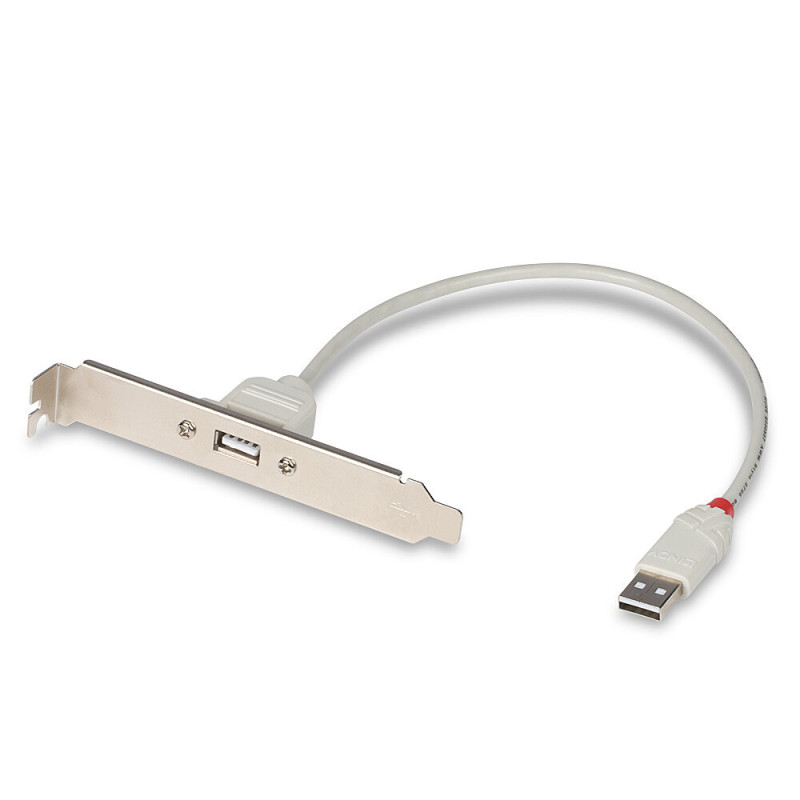

Adds USB 2.0 Type-A ports to the back of your desktop computer via an internal USB 2.0 connector on your motherboard. The metal expansion slot bracket supports data transfer rates up to 480 Mbps and requires no external power or drivers.
Adds USB 2.0 Type-A ports to the back of your desktop computer via an internal USB 2.0 connector on your motherboard. The metal expansion slot bracket supports data transfer rates up to 480 Mbps and requires no external power or drivers.
Guarantee
24 month
Delivery from Europe in
15 - 16
business days
Adds a USB 2.0 Type-A port to the back of your desktop computer by connecting it to the internal motherboard USB 2.0 connector. The metal expansion slot bracket supports data transfer rates up to 480 Mbps and requires no external power or drivers.
Product information | |
|---|---|
| Product type | Internal USB 2.0 rear computer mount |
| Function | Unused internal motherboard USB 2.0 connector is output to USB Type-A port on the back of the desktop computer |
| USB standard | USB 2.0; compatible with USB 1.1 devices |
| External connection | USB Type-A female port |
| Internal connection | 9-pin USB 2.0 motherboard connector with one blocked position |
| Power source | Power is supplied through the USB connector on the motherboard |
| Construction | Passive connection; no expansion board, software or external power adapter required |
Installation and compatibility | |
| Installation | Standard desktop expansion slot opening |
| Holder material | Metal |
| Compatible case types | Desktop cases with a suitable rear expansion slot opening |
| Compatible motherboards | Motherboards with a free internal USB 2.0 connector |
| Typical connection cable length | Approximately 25-50 cm |
| Operating system support | Generally compatible with operating systems that support standard USB devices, including Windows and Linux |
| Incompatible with | USB-C connectors, external USB ports, or otherwise configured motherboard connectors if a suitable adapter is not used |
Safety and installation warning | |
| Warning | Install only after the computer is turned off and unplugged. Check the pin layout of the motherboard connector before connecting. Use the product only to output the internal USB 2.0 connector to a compatible desktop expansion slot. |
| Height | 194 mm |
| Length | 174 mm |
| Weight | 50 g |
| Width | 30 mm |