



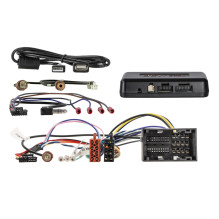
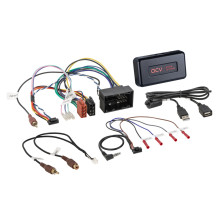
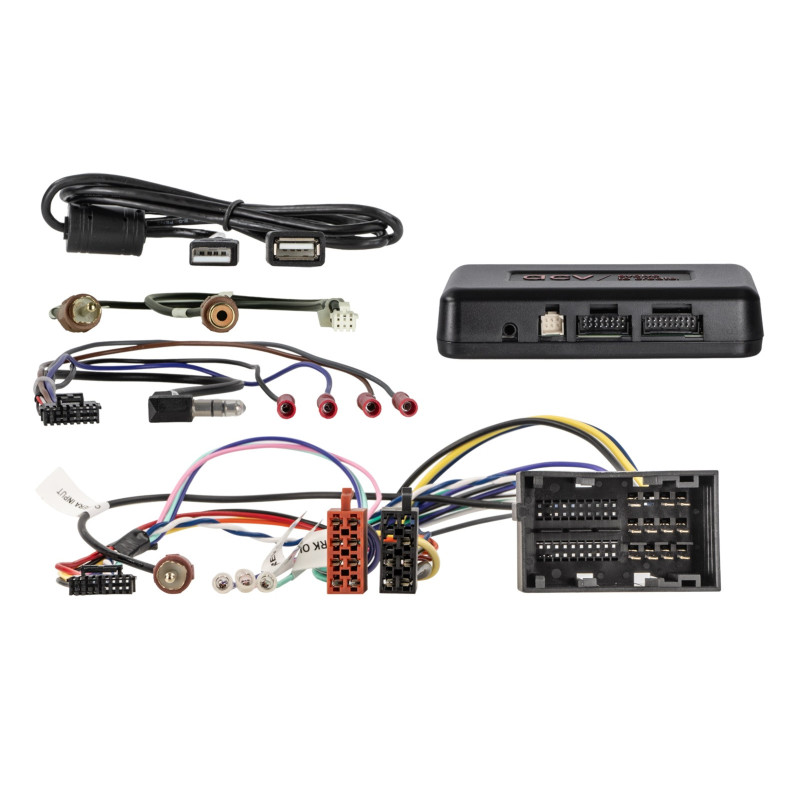

i-dapter Citroen/Fiat/Opel/Peugeot 52Pin Fiat Multilead
i-dapter Citroen/Fiat/Opel/Peugeot 52Pin Fiat Multilead
Guarantee
12 month
Delivery from Europe in
4 - 14
business days
i-adapter Citroën / Fiat / Opel / Peugeot - CAN infodapter to maintain car functions after replacing the radio
The i-adapter (Infodapter) is a CAN interface that allows you to retain selected display functions and vehicle settings when replacing the factory radio or navigation system with an aftermarket radio. This allows some vehicle-specific settings to remain available and can be displayed on the new multimedia unit (depending on its features and software).
Importantly, the buttons on the steering wheel ( SWC ) are necessary because they allow you to enter the Infodapter configuration menu and change the interface settings.
The most important features
Preservation of selected vehicle display functions after replacing the OEM radio,
access to some vehicle settings from the aftermarket radio,
support for steering wheel controls (SWC) and entry to the configuration menu,
providing CAN signals for the radio (ignition, lights, reverse, speed, parking brake),
possibility of connecting a factory reversing camera via RCA (after correct radio configuration).
Important information before installation
As operation depends on the vehicle equipment and the capabilities of the aftermarket radio, some functions may be limited, omitted or replaced by others.
Additionally, some vehicles do not support all comfort and assistance systems, e.g. Trailer Assist, eCall, as well as selected driver assistance systems.
Therefore, before installation, it is worth:
check the settings in the vehicle menu,
verify the operation of functions in the factory radio (OEM),
compare the harness connectors with those in the car (visually and technically).
Requirements
vehicles with steering wheel controls SWC,
vehicles with a voice dial button,
communication CAN Bus,
main connector: 52-pin Fiat.
Connectors and connections
52-pin Fiat - main connector
OEM SWC → 3.5mm jack / loose wires (depending on the radio)
OEM Reversing Camera → RCA(m) Yellow
USB-A extension → software update interface
Reversing camera - configuration
For the camera to work properly, you must:
activate and configure the rear view camera input on the aftermarket radio,
give a reverse signal to the radio.
i-adapter → radio (HU) connections:
purple/white: