
- 1-2d.d
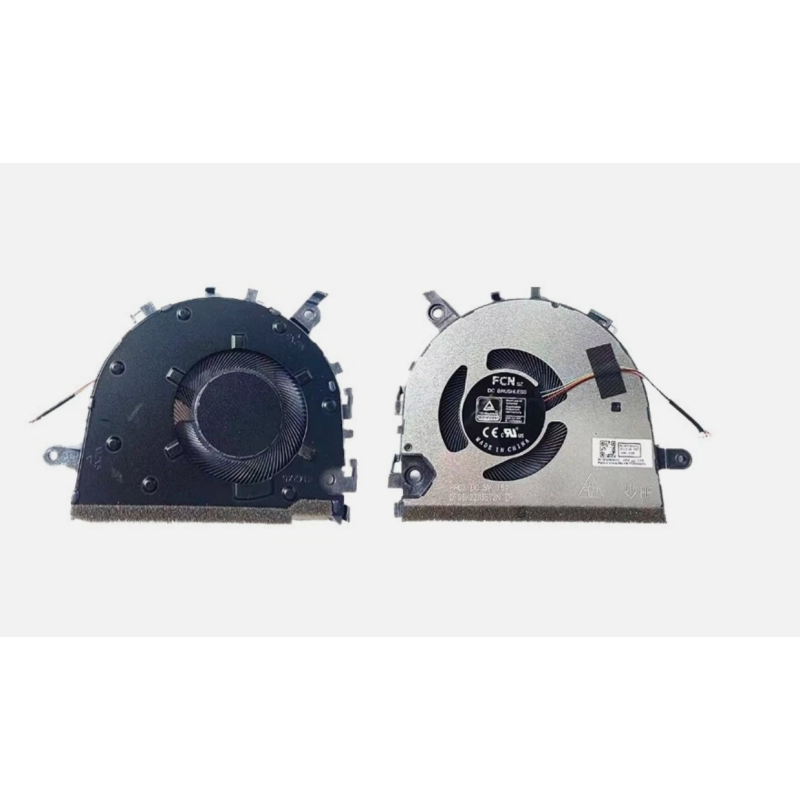


Aušintuvas Lenovo Ideapad 3-14ITL6 3-14ADA6 V14 G2-ITL V15 G2-ITL. Mes teikiame aušintuvų / ventiliatorių keitimo, dulkių valymo paslaugas visoje Lietuvoje.
Aušintuvas Lenovo Ideapad 3-14ITL6 3-14ADA6 V14 G2-ITL V15 G2-ITL. Mes teikiame aušintuvų / ventiliatorių keitimo, dulkių valymo paslaugas visoje Lietuvoje.
LE-49F
3-14ITL6 V14 S14 V15 G3 LENOVO IdeaPad 14sITL 2021 3-14ITL6 3-14ADA6 3-14ALC6 V14 S14 G2 V15 G3
IdeaPad 3-14ITL6 NS85C60-20H04
Lenovo IdeaPad 3-14ITL6
3-14ADA6
3-14ALC6
P/N:
5F10S14005, 5F10S14003, 5F10S14004
Power:
DC5V 0.5A
12 mėnesių / 24 mėnesiai, jei keičia mūsų servisas
Kontaktų skaičius: 4 pin
KODAS: LE-49F
Tinka kompiuterių modeliams:
3-14ITL6 V14 S14 V15 G3 LENOVO IdeaPad 14sITL 2021 3-14ITL6 3-14ADA6 3-14ALC6 V14 S14 G2 V15 G3 IdeaPad 3-14ITL6 NS85C60-20H04
Lenovo IdeaPad 3-14ITL6
3-14ADA6
3-14ALC6
P/N:
5F10S14005, 5F10S14003, 5F10S14004
Power:
DC5V 0.5A
Kaistantis ir ūžiantis kompiuteris Norint išvengti kompiuterio perkaitimo reguliariai iš jo reikia valyti dulkes ir nešvarumus. Kompiuteryje susikaupusios dulkės gali sukelti šilumos padidėjimą, o jei temperatūra pakyla virš 35 laipsnių, atsiranda rizika kompiuteriui perkaisti ir sugesti. Galima įtarti, jog kompiuterio ventiliavimas vyksta neefektyviai, kai: kompiuteris garsiai dirba (ūžia); jaučiamas kompiuterio temperatūros padidėjimas, jis tampa karštas (jaučiama palietus); dirbant kompiuteris netikėtai išsijungia; dirbant stringa programos, žaidimai; įjungiant kompiuterį, jo paleidimas sustoja, rodo juodą ekraną. Patiems valyti kompiuterio dulkes tikrai nerekomenduojame, nes tai yra procesas, kurį turėtų atlikti profesionalai. Kompiuterio dulkių valymo eiga: kompiuteris yra pilnai išardomas (tai turi atlikti patyręs meistras); atsargiai nuimamas ir išardomas kompiuterio aušintuvas; kruopščiai šalinamos dulkės iš radiatoriaus, aušintuvo, korpuso, sisteminės plokštės bei kitų komponentų; aušintuvas sutepamas, pakeičiama termo pasta (ji leidžia sumažinti procesorių kaitimą). kompiuteris surenkamas; atliekamas testavimas, kuris parodo, ar temperatūra yra normos ribose; kompiuteris grąžinamas šeimininkui!